

Note
Go to the end to download the full example code.
Move x/y-axis ticks and labels on top and right#
axes.Axes.tick_params can be used to move tick marks and tick labels
to the top or right side of the Axes:
ax.tick_params(top=True, labeltop=True, bottom=False, labelbottom=False)
ax.tick_params(right=True, labelright=True, left=False, labelleft=False)
To also reposition the axes labels (xlabel/ylabel), use
Axes.xaxis.set_label_position and Axes.yaxis.set_label_position.
Note
To apply this globally for all future plots, set the rcParams:
rcParams["xtick.top"](default:False)rcParams["xtick.labeltop"](default:False)rcParams["xtick.bottom"](default:True)rcParams["xtick.labelbottom"](default:True)rcParams["ytick.right"](default:False)rcParams["ytick.labelright"](default:False)rcParams["ytick.left"](default:True)rcParams["ytick.labelleft"](default:True)
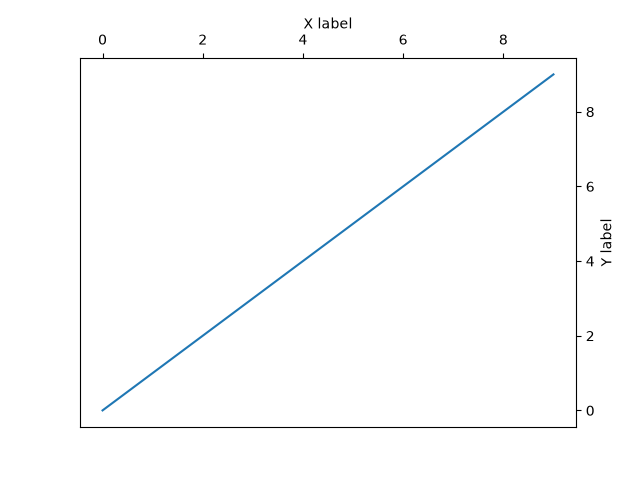
import matplotlib.pyplot as plt

fig, ax = plt.subplots()
ax.plot(range(10))

# Move ticks marks and tick labels
ax.tick_params(
    top=True, labeltop=True,
    bottom=False, labelbottom=False,
    right=True, labelright=True,
    left=False, labelleft=False,
)

# Move axis labels
ax.xaxis.set_label_position("top")
ax.yaxis.set_label_position("right")

ax.set_xlabel("X label")
ax.set_ylabel("Y label")

plt.show()