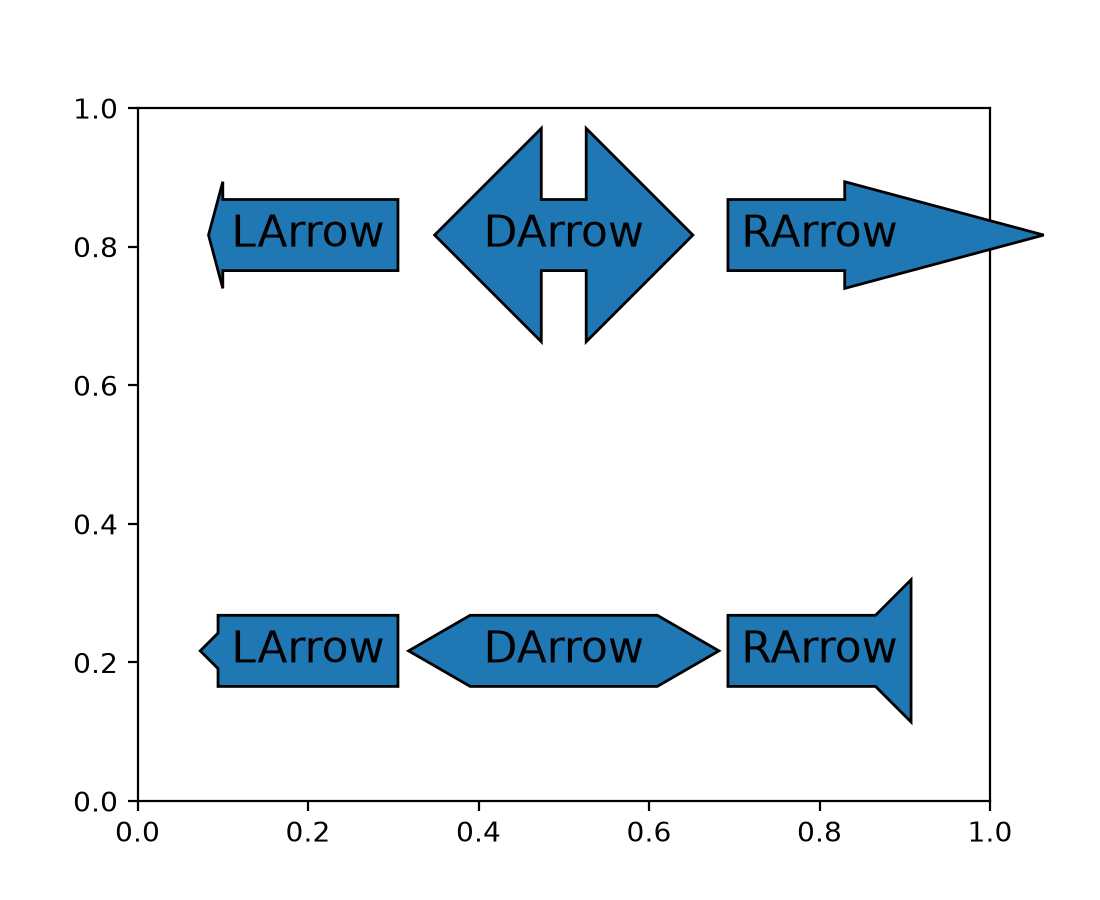

Arrow-style sub-classes of BoxStyle support arrow head resizing#
The new head_width and head_angle parameters to
BoxStyle.LArrow, BoxStyle.RArrow and BoxStyle.DArrow allow for adjustment
of the size and aspect ratio of the arrow heads used.
To give a consistent appearance across all parameter values, the default head position (where the head starts relative to text) is slightly changed compared to the previous hard-coded position.
By using negative angles (or corresponding reflex angles) for head_angle, arrows with 'backwards' heads may be created.
import matplotlib.pyplot as plt

plt.text(0.2, 0.8, "LArrow", ha='center', size=16,
         bbox=dict(boxstyle="larrow, pad=0.3, head_angle=150"))
plt.text(0.2, 0.2, "LArrow", ha='center', size=16,
         bbox=dict(boxstyle="larrow, pad=0.3, head_width=0.5"))
plt.text(0.5, 0.8, "DArrow", ha='center', size=16,
         bbox=dict(boxstyle="darrow, pad=0.3, head_width=3"))
plt.text(0.5, 0.2, "DArrow", ha='center', size=16,
         bbox=dict(boxstyle="darrow, pad=0.3, head_width=1, head_angle=60"))
plt.text(0.8, 0.8, "RArrow", ha='center', size=16,
         bbox=dict(boxstyle="rarrow, pad=0.3, head_angle=30"))
plt.text(0.8, 0.2, "RArrow", ha='center', size=16,
         bbox=dict(boxstyle="rarrow, pad=0.3, head_width=2, head_angle=-90"))

plt.show()
(Source code, 2x.png, png)