Note
Go to the end to download the full example code
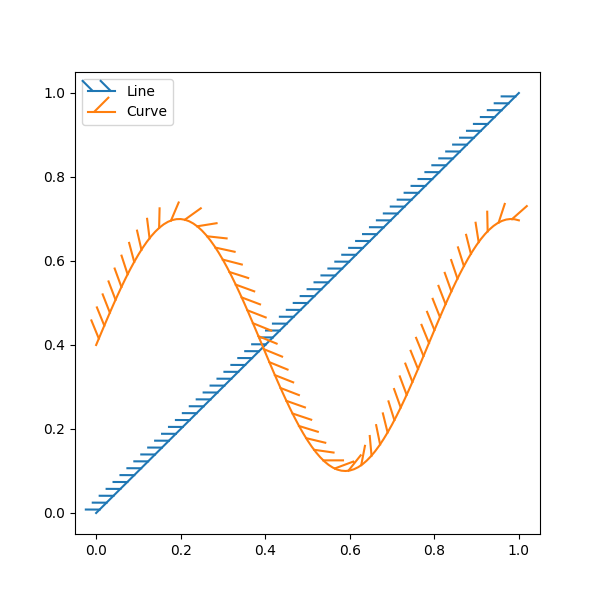
Lines with a ticked patheffect#
Ticks can be added along a line to mark one side as a barrier using
TickedStroke. You can control the angle,
spacing, and length of the ticks.
The ticks will also appear appropriately in the legend.
import numpy as np
import matplotlib.pyplot as plt
from matplotlib import patheffects

# Plot a straight diagonal line with ticked style path
fig, ax = plt.subplots(figsize=(6, 6))
ax.plot([0, 1], [0, 1], label="Line",
        path_effects=[patheffects.withTickedStroke(spacing=7, angle=135)])

# Plot a curved line with ticked style path
nx = 101
x = np.linspace(0.0, 1.0, nx)
y = 0.3*np.sin(x*8) + 0.4
ax.plot(x, y, label="Curve", path_effects=[patheffects.withTickedStroke()])

ax.legend()

plt.show()
Total running time of the script: (0 minutes 1.468 seconds)